Recording experimental data
Experimental data is recorded under the tab corresponding to the appropriate Data Sheet defined by the Assay Model.
Experimental data can be recorded manually or loaded in bulk from a file. Use the New button above the table or the Import button in the toolbar.
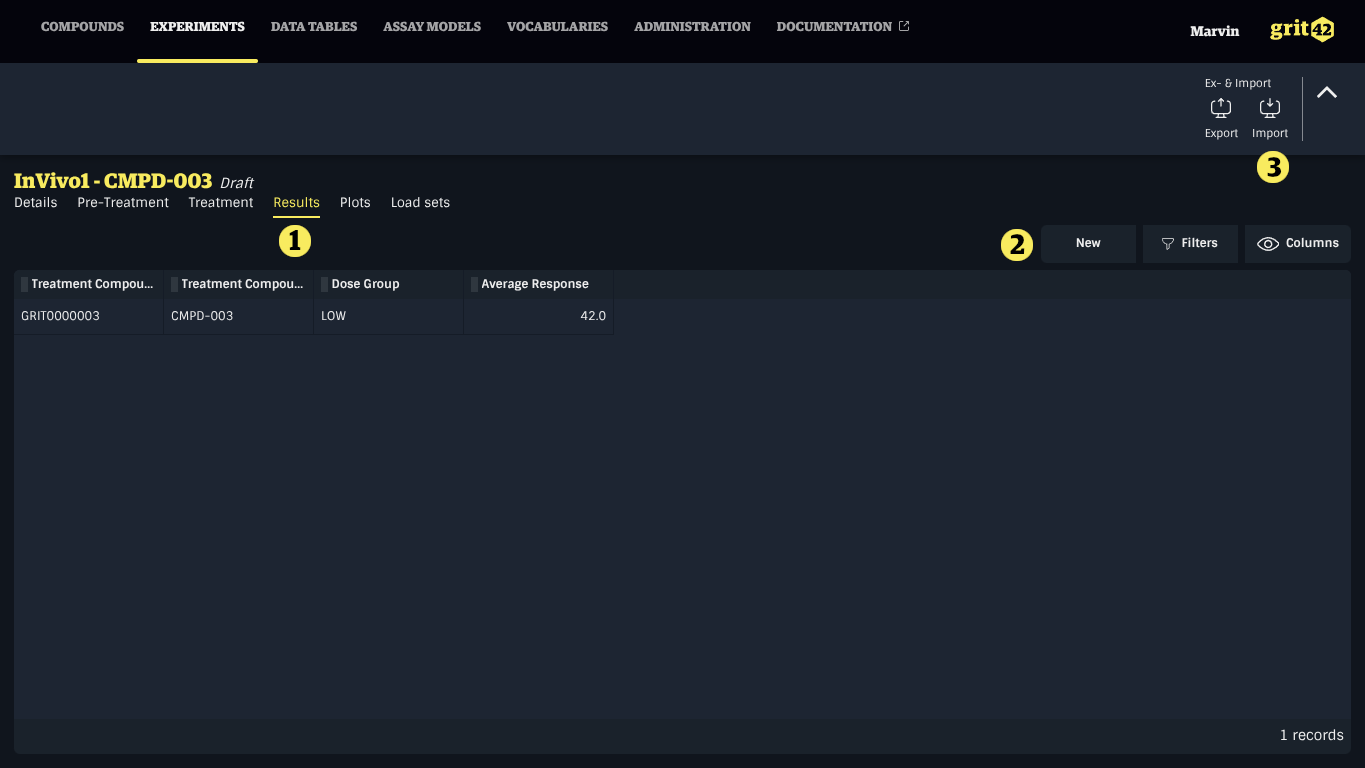
- The Data Sheet tabs
- The New button to create a new record
- The Import button to load records from a file
Manual input
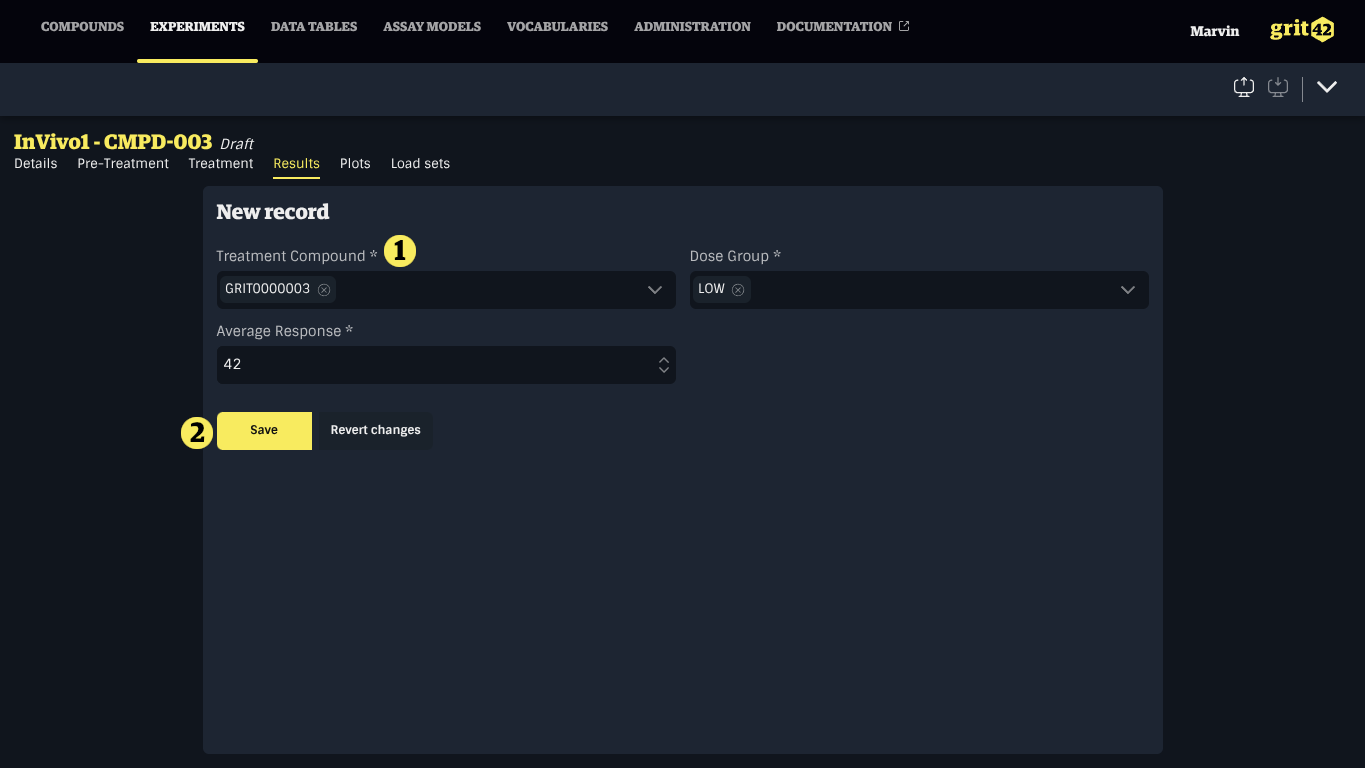
To create or edit a record manually, either click the New button above the table or a record in the table, fill the form and click Save. Fields marked by an asterisk (*) are mandatory.
Loading from a file
To load records from a file, start the import process by clicking the Import button in the toolbar and follow the instruction in Importing data. When the import is completed, you can come back to the Experiment by clicking the Go to experiment button above the table showing loaded records.