Managing Experiments
A list of all Experiments can be viewed under the Experiments tab. Clicking a row in the table opens the Experiment, and new Experiments can be created by clicking the New button above the table. The table displays Metadata Definitions and the values if set.
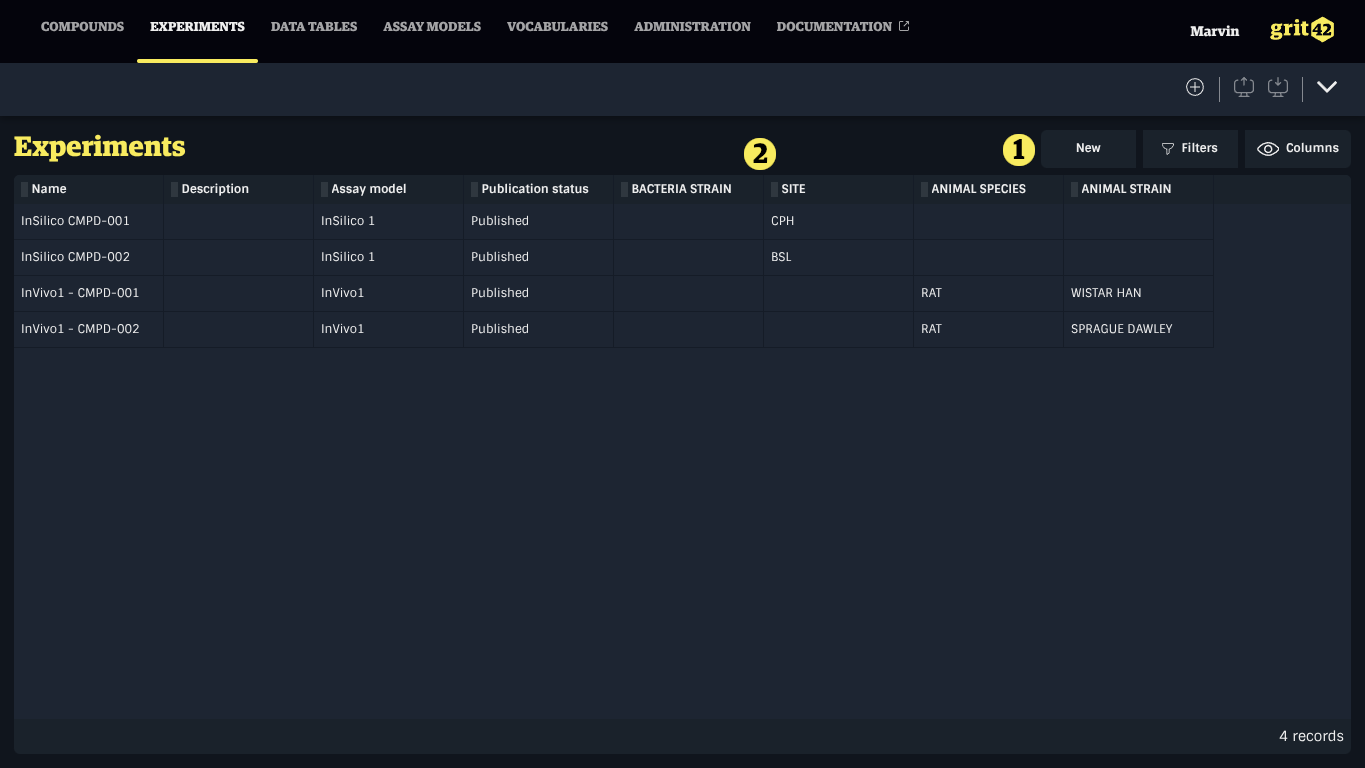
Creating an Experiment
To create an Experiment, click the New button under the Experiments tab and fill the form. It is also possible to create an Experiment from an Assay Model's Experiments tab.
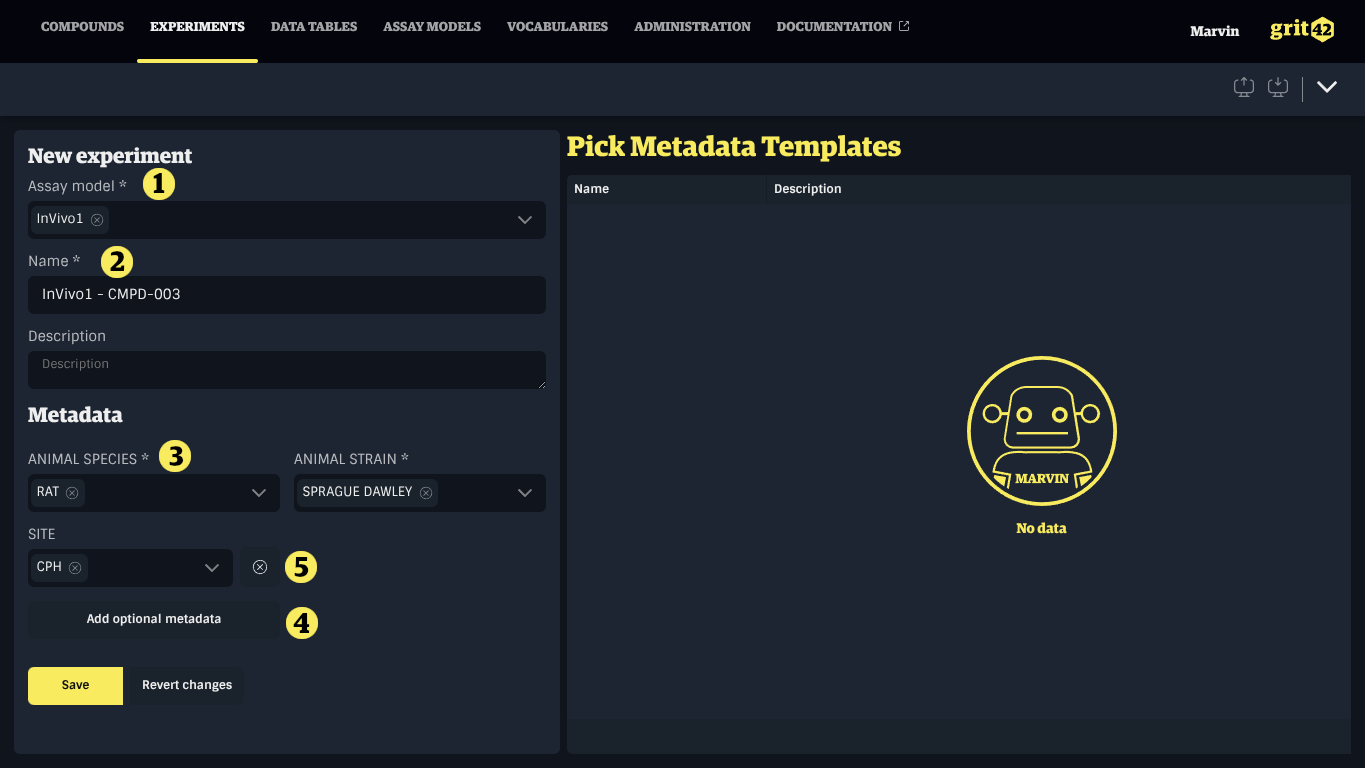
- Select the appropriate Assay Model
- Provide a name and an optional description
- Provide values for required Metadata
- marked by an asterisk (*)
- Optionally add Metadata not required
- An optional Metadata and the button to remove it
Modifying an Experiment
Experiments can be modified under the Details tab while they are in draft. Published Experiments can only be modified after they have been converted to draft.
Publishing an Experiment
When an Experiment is completed, it should be published so that it is available in the rest of the system. Experiments can be published and converted to draft at will.
To publish an Experiment, opens its Details tab and click the Publish button.
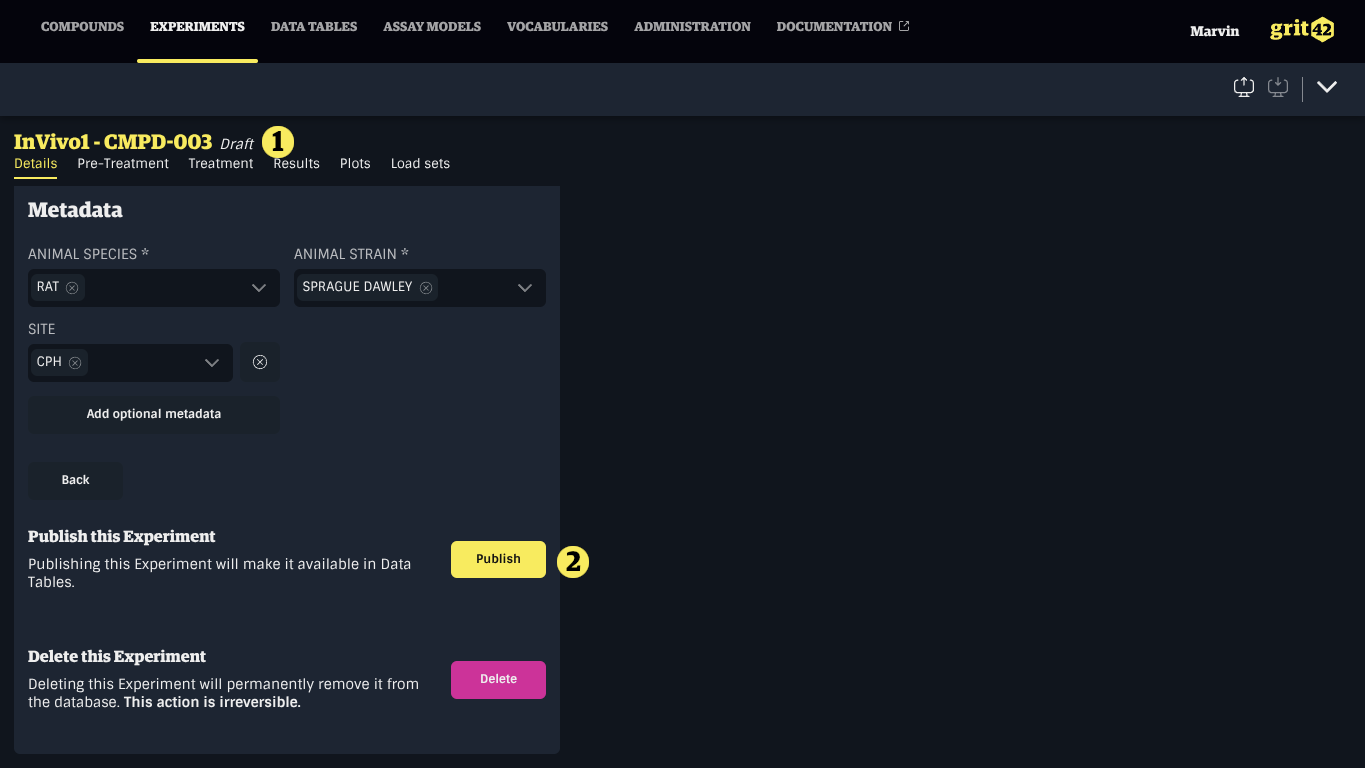
- The publication status of the Experiment.
- The button to publish the Experiment or convert it to draft