Publishing Assay Models Metadata
Assay Models must be published before they can be used to create Experiments and record experimental data.
Once published, an Assay Model can only be modified using Dangerous Edit Mode (see below) to preserve flexibility while providing guards to avoid accidental data loss.
A published Assay Model can be converted back to draft with the effect of deleting all its Experiments. A confirmation is required before the Assay Model is converted to draft and Experiments are deleted.
Deleted Experiments cannot be recovered. Exercise caution when converting an Assay Model to draft.
An Assay Model can be cloned at any point to create a new version of it that can be modified at will.
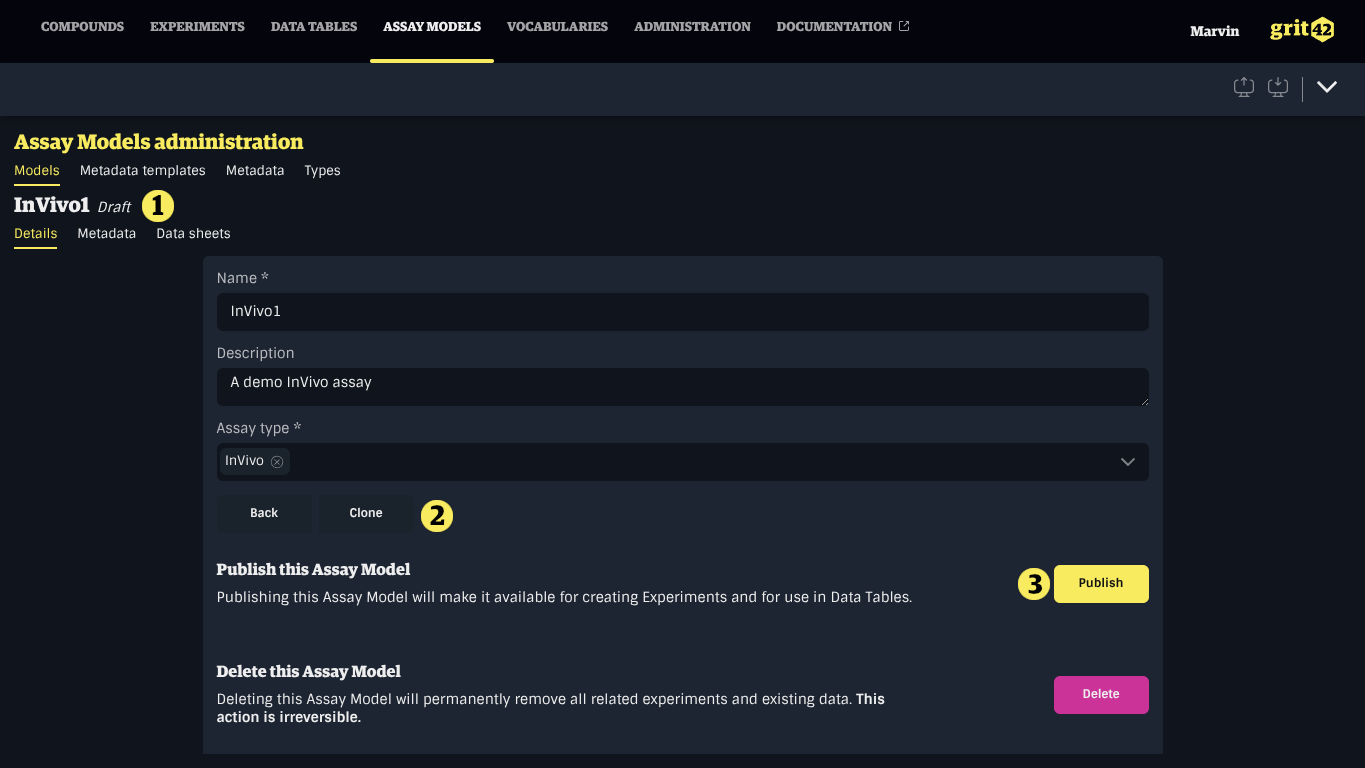
- The current publication status of the Assay Model
- The button to clone the Assay Model
- The button to publish the Assay Model
Dangerous Edit Mode
Dangerous Edit Mode allows modifying a published Assay Model. This makes it possible to evolve a model, but carries risk of irreversible data loss if not used carefully.
Edits made in Dangerous Edit Mode can permanently destroy experimental data. Always review your changes thoroughly before confirming.
To reduce the risk of accidental data loss, certain operations require a confirmation challenge — for example, typing the name of a column or data sheet before it can be deleted or modified.
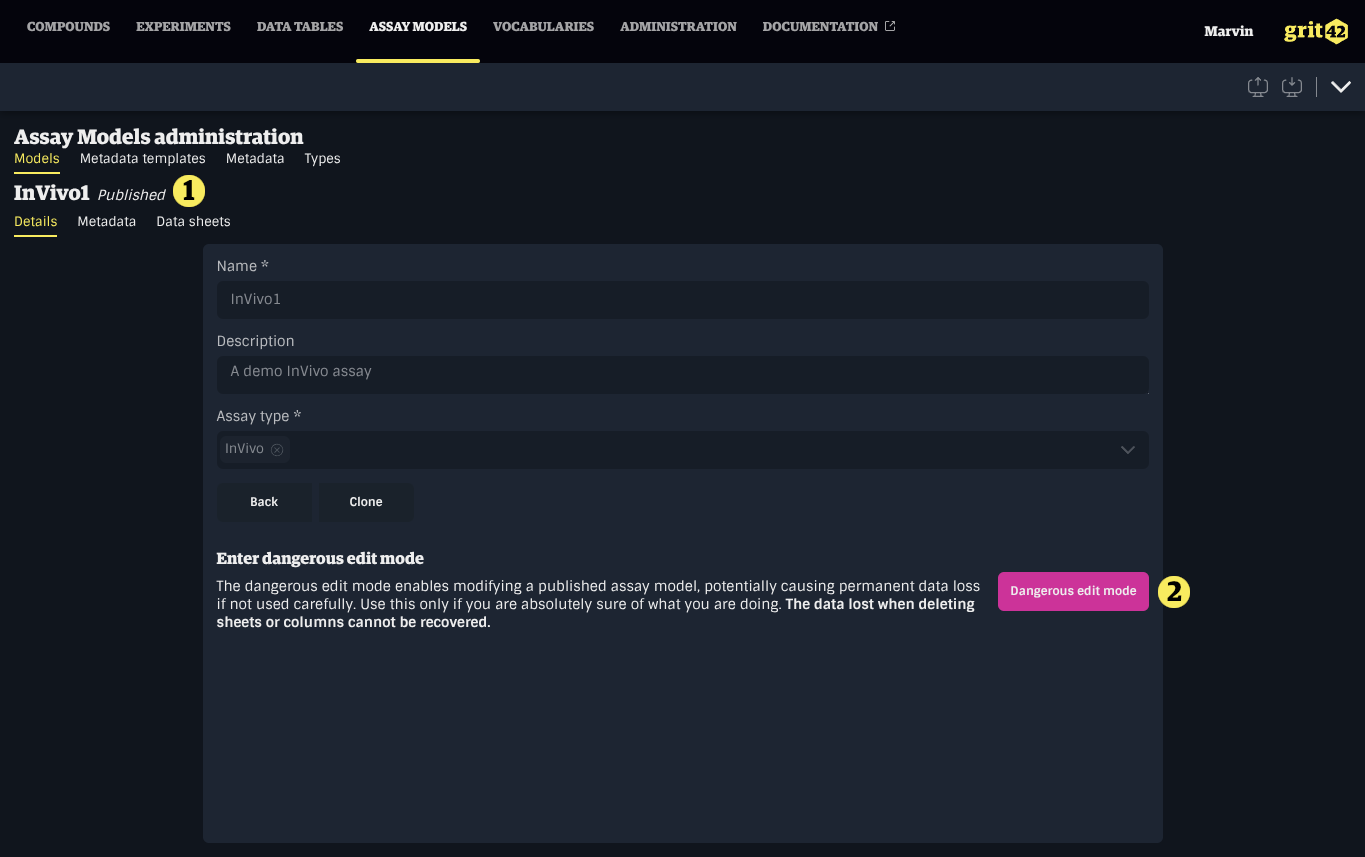
- The current publication status of the Assay Model (Published)
- The button to enter Dangerous Edit Mode
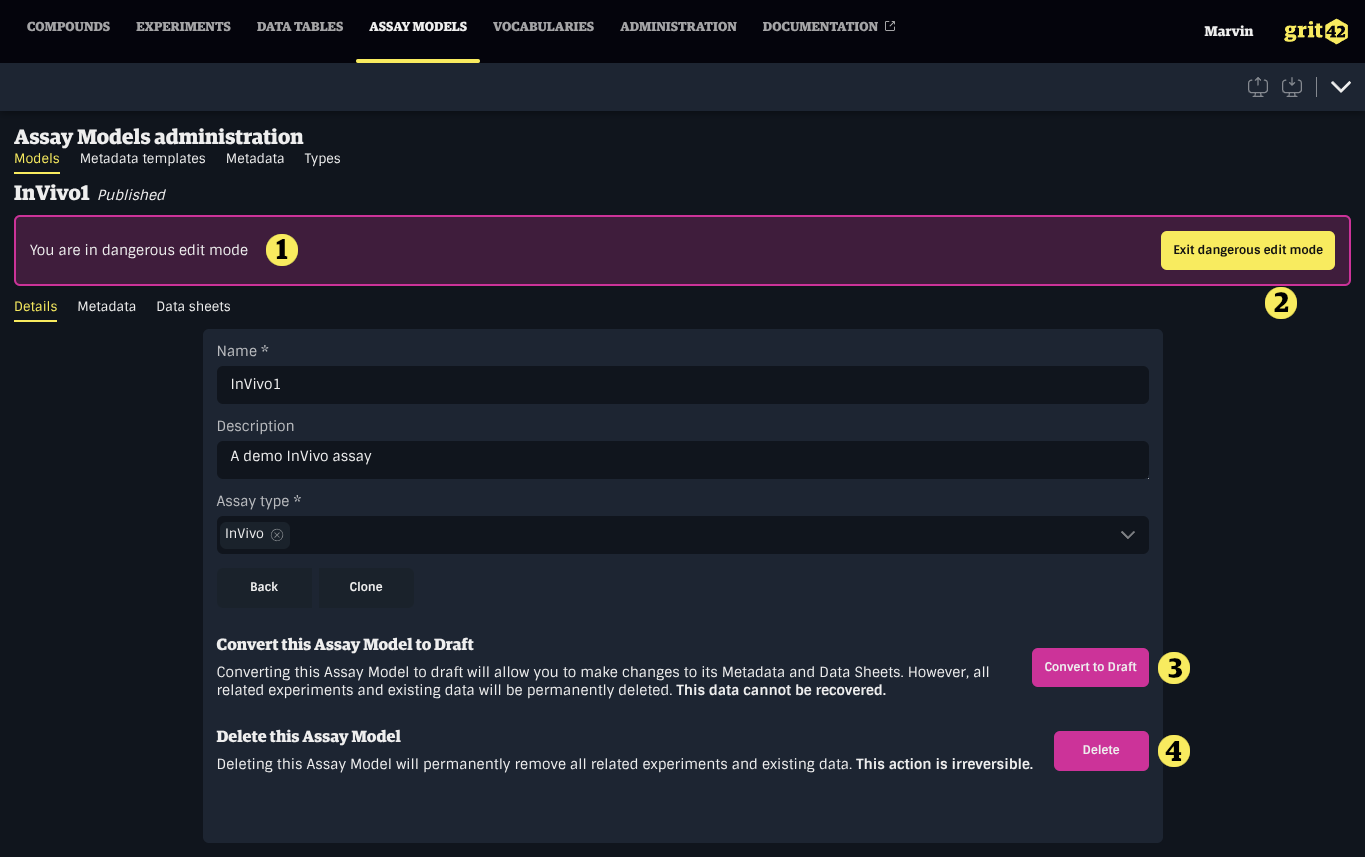
- The current publication status of the Assay Model (Published)
- The button to exit Dangerous Edit Mode
- The button to convert the Assay Model to draft
- The button to delete the Assay Model
Supported Operations
Columns
- Add or remove columns
- Change the name, safe name, description, or unit of a column
- Change the required status of a column
- Making a column required will fail if any existing row has no value for that column
- Change the data type of a column
- Type conversion relies on automatic database conversion; some conversions will fail if incompatible data is present
- Changing a column type to, from, or between entity types is not supported if the column contains data
- Converting to a less strict type is generally safe (e.g. any type → string, integer → decimal)
- Converting to a stricter type may cause precision loss (e.g. datetime → date, decimal → integer) or fail entirely (e.g. string → integer/decimal if any value cannot be converted)
Data Sheets
- Add or remove data sheets
Required Metadata
- Add or remove required metadata
- Removing required metadata does not delete existing metadata values on experiments