Managing Assay Models
note
Managing Assay Models requires the Administrator or AssayAdministrator role.
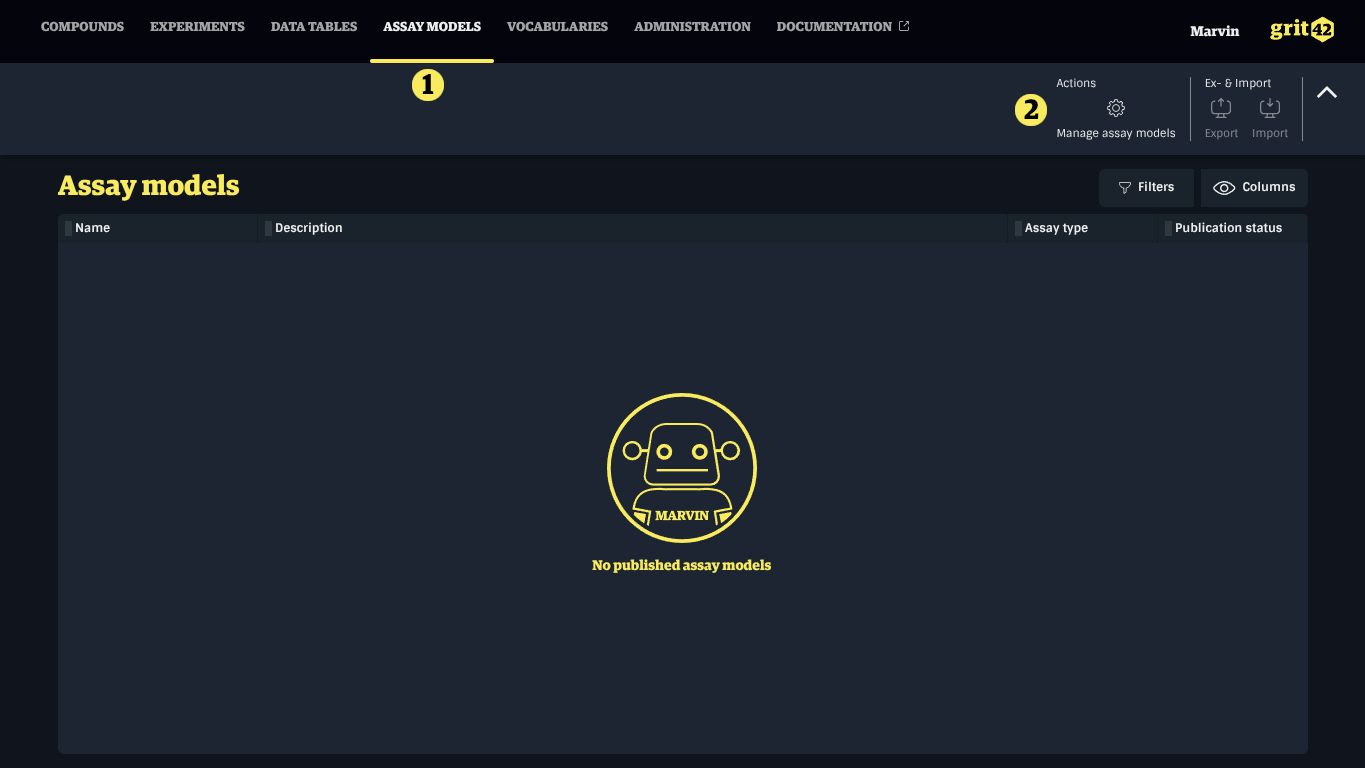
Assay Models can be managed in the Assay Model administration section, which can be accessed as follows:
- Go to the Assay Models menu
- Click the gears icon top right in the toolbar
Creating an Assay Model
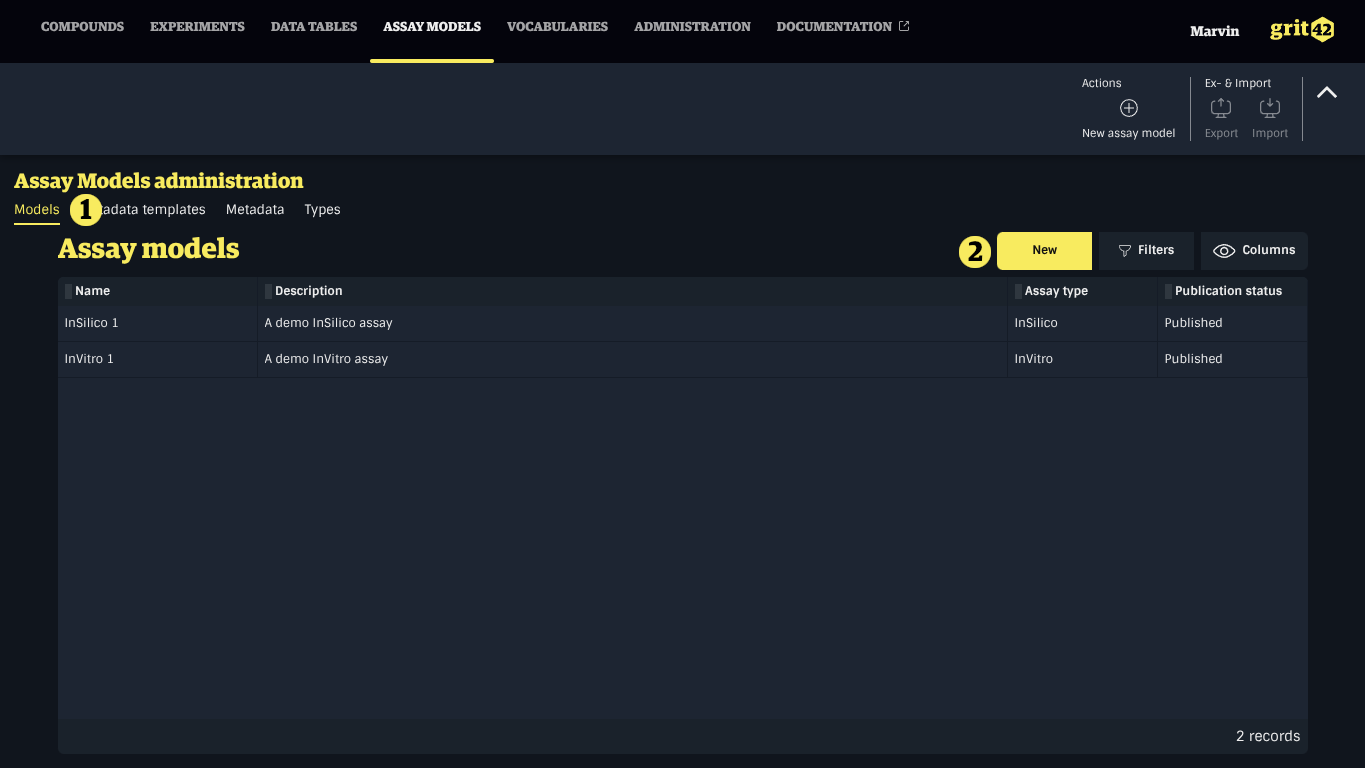
To create an Assay Model, navigate to the Assay Model administration, then:
- Select the Assay Models tab
- Click the New button
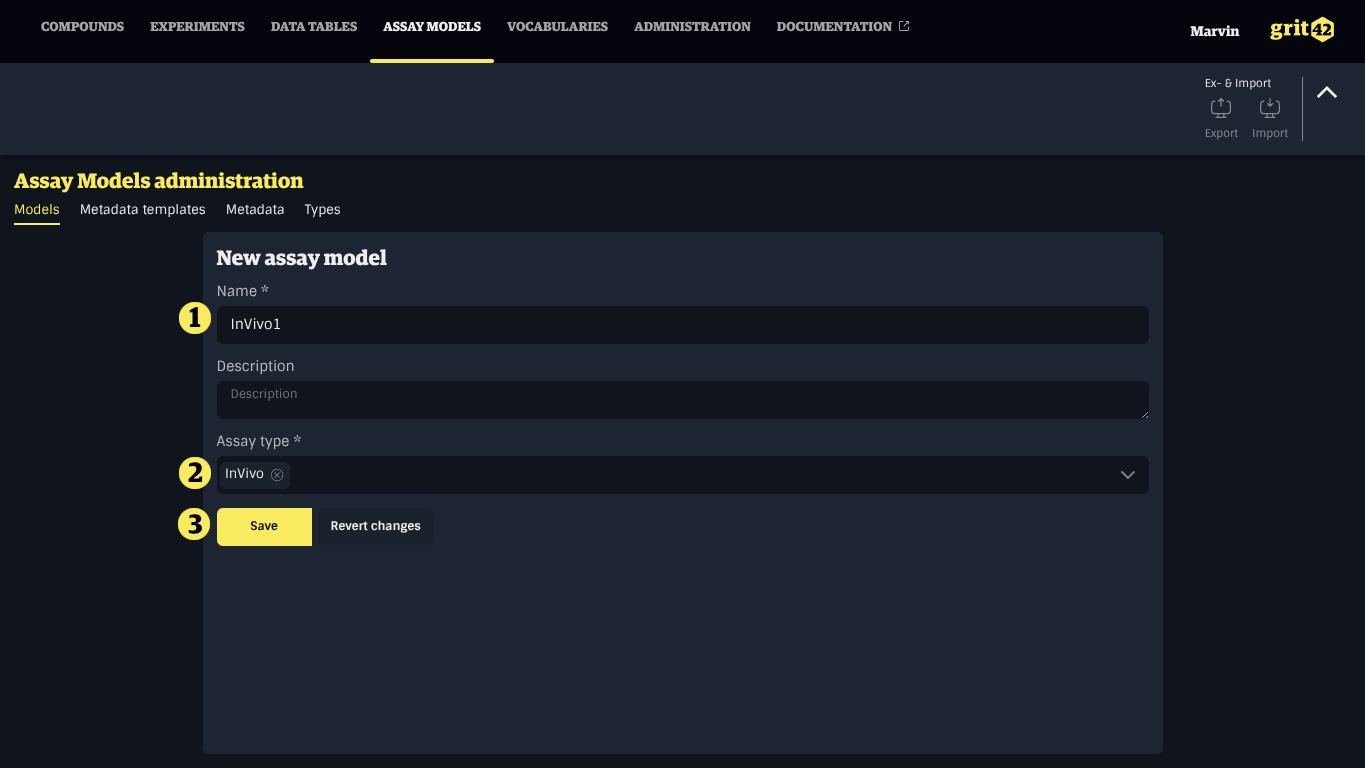
- Provide a name and an optional description
- Select the appropriate Assay Type
- Click Save
Editing an Assay Model
note
Published Assay Models cannot be modified.
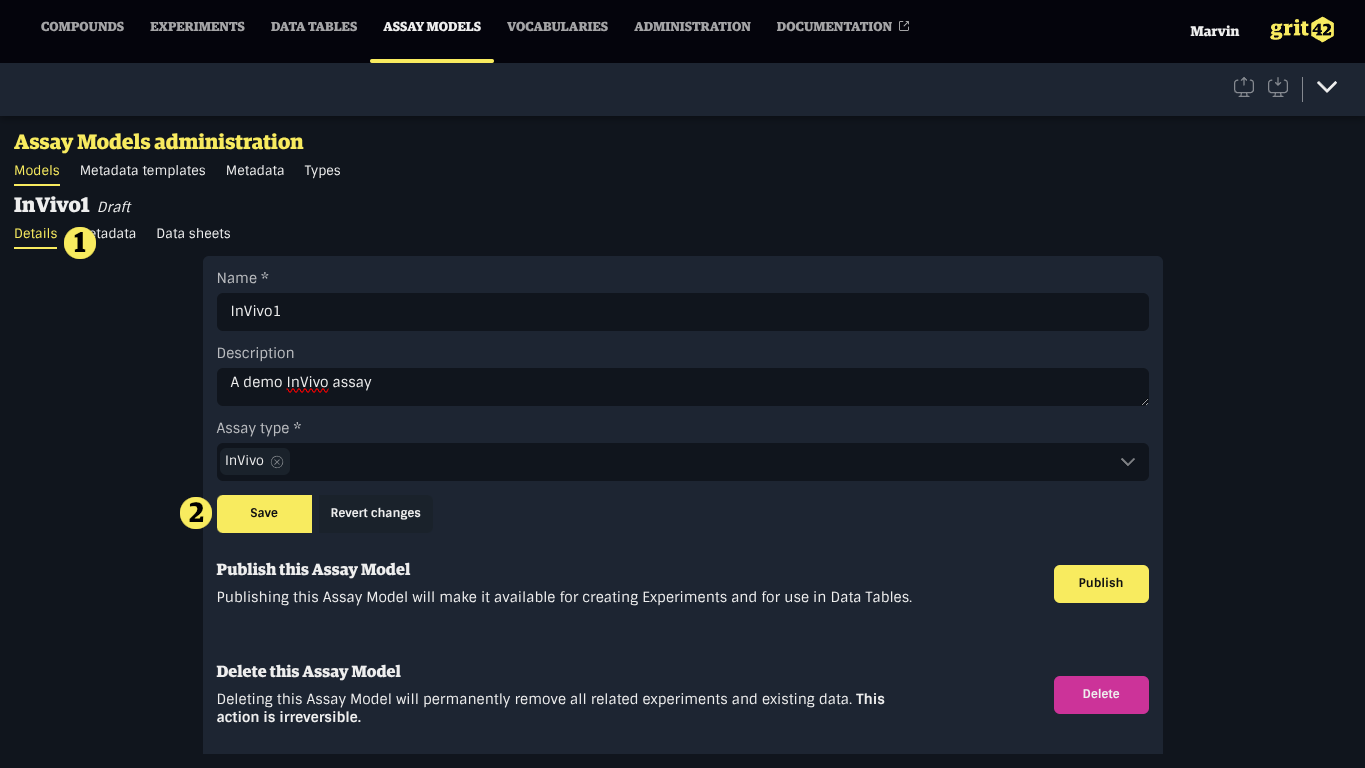
To modify an existing Assay Model, click it in the list, select the Details tab, make your changes, and click Save.