Data sheets
Data Sheets describe the shape of your experimental data. They define tables and columns with names, description and data types.
Overview
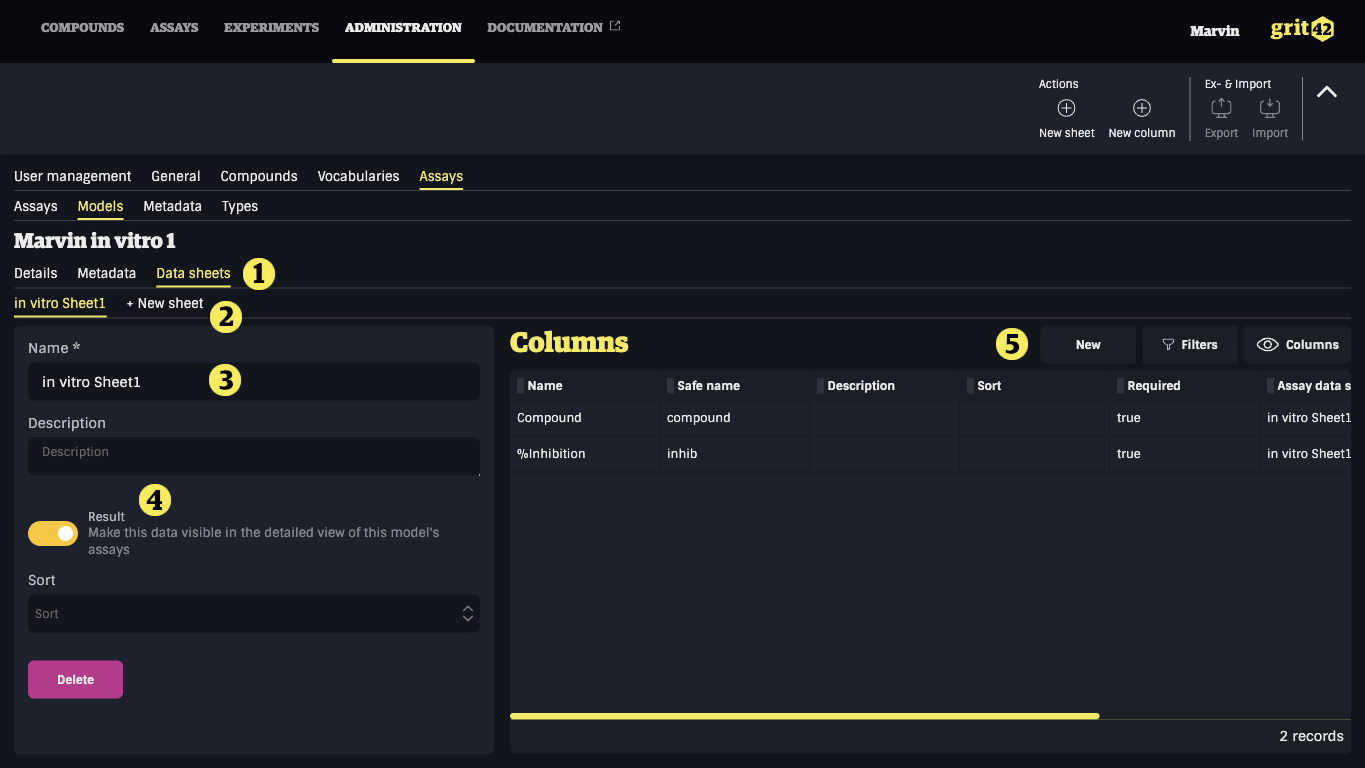
- Data sheets tab
- Adding a new sheet
- Name of the data sheet
- Turn the switch on if you want the experiment data to be shown (together with data from the other experiments in this assay) on the assay level
- Adding new columns
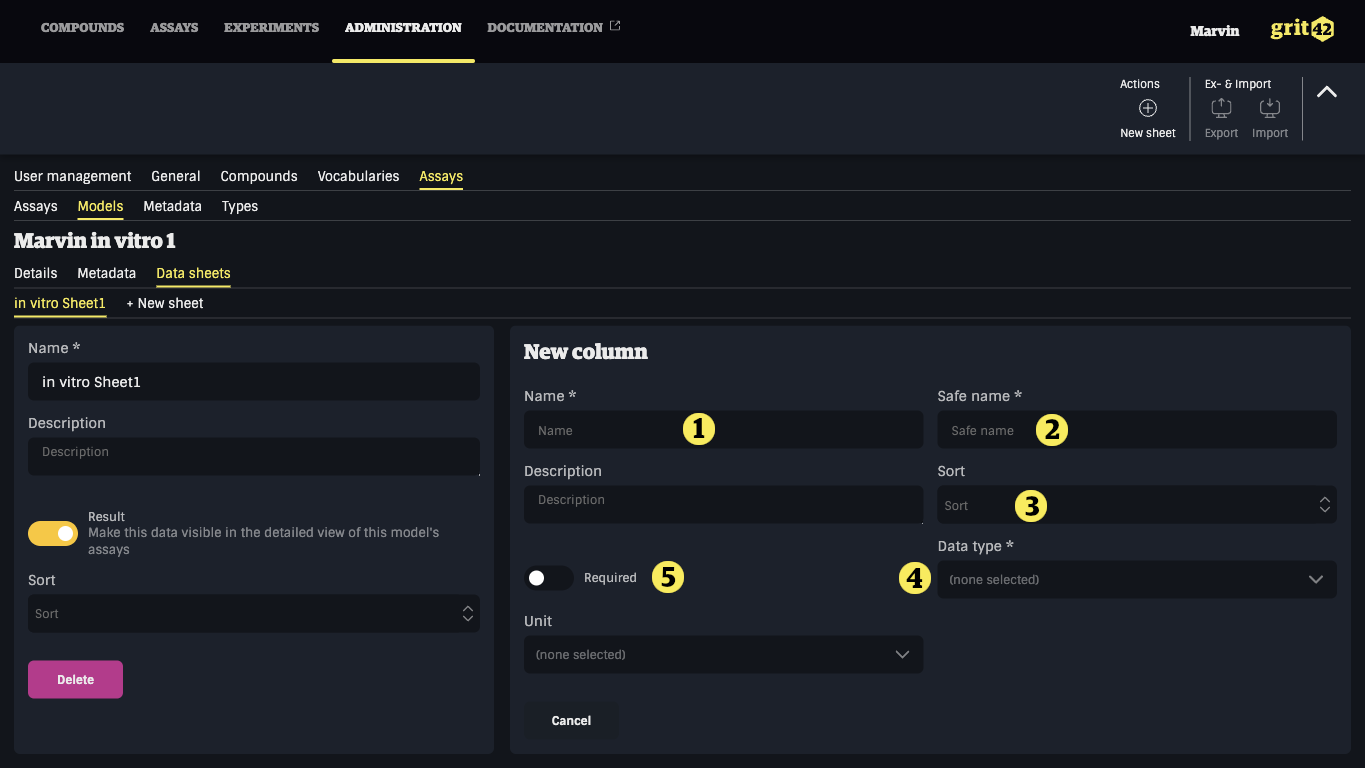
- Column name
- Safe name
- Sort - order of the columns in the sheet
- Select the relevant data type (see below)
- Required - meaning the field will become required when uploading data
Selecting the correct/relevant data type for the data sheet columns.
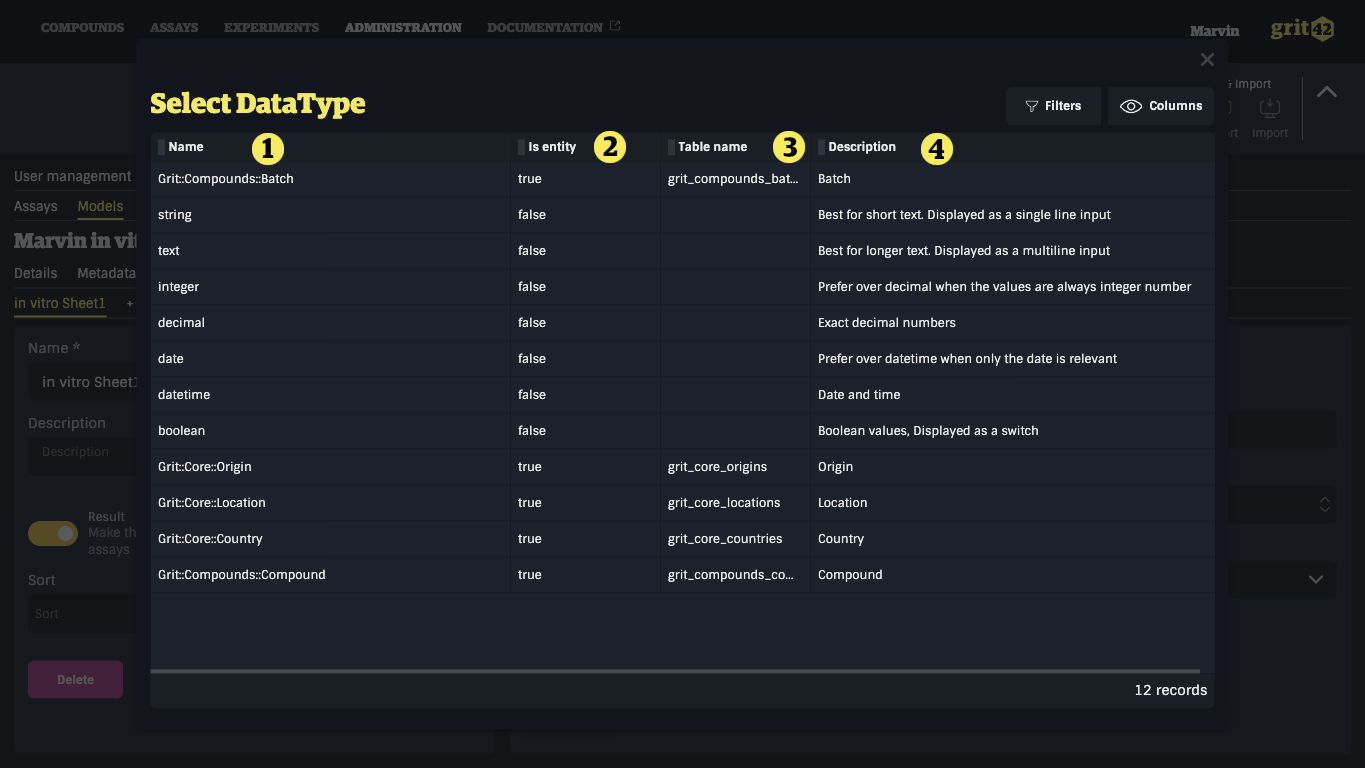
When adding a new column to the data sheet the user have to select the data type from a dropdown showing the following list:
- Name
- Is entity - meaning it's linked to a table (like Compounds) in the database
- Table name - the name of the table an entity field belongs to
- Description - hopefully helpful to enable the user to select the relevant datatype
Creating data sheets manually can be a lengthy process. To mitigate that, it is possible to create Data Sheets from files containing experimental data.