Assay Data Sheet columns
Data tables Assay Data Sheet columns display experimental data. Assay Data Sheet columns are selected from Assay Models and aggregate data from Published experiments belonging to the Assay Model. Filters can be configured to aggregate data from specific Experiments.
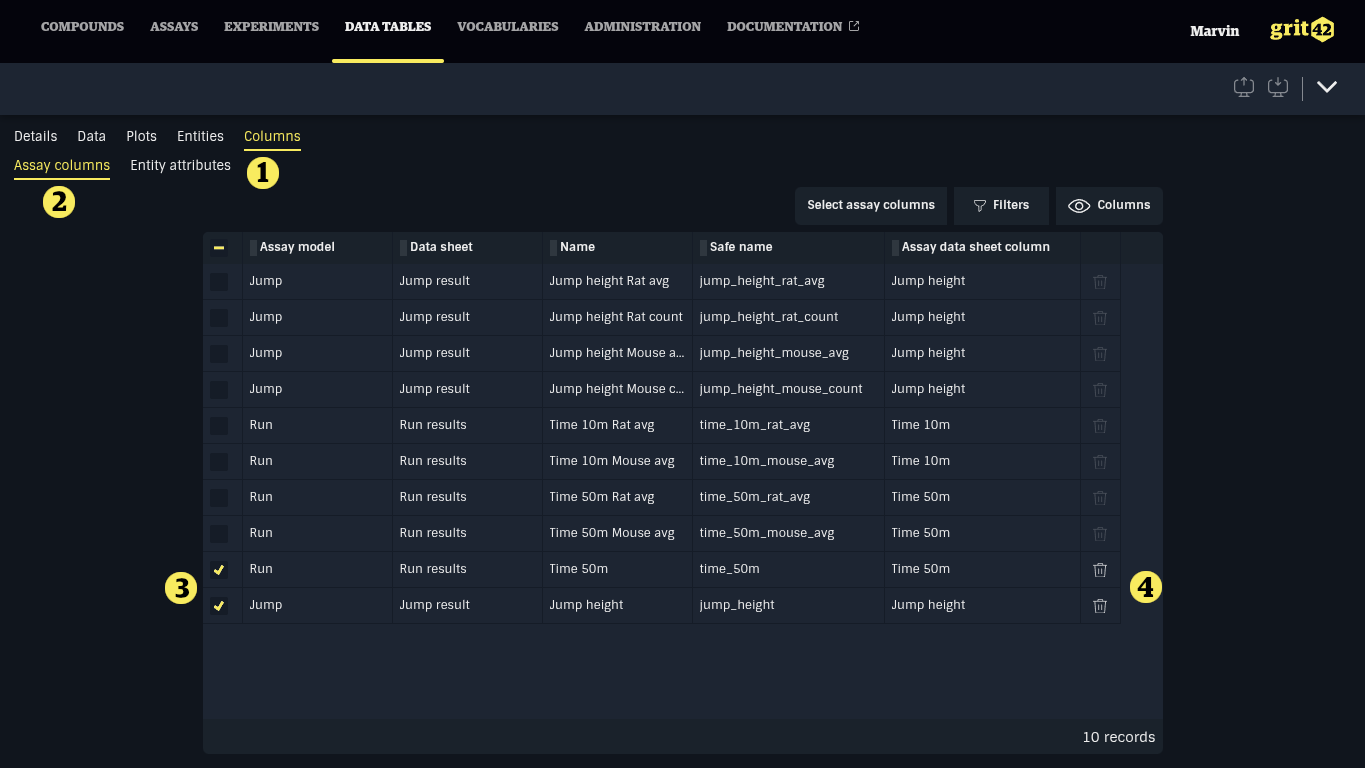
Assay Data Sheet columns are managed under the Columns > Assay columns tab (1). Click Add entity attribute (2) to add a column displaying an entity attribute to the data table.
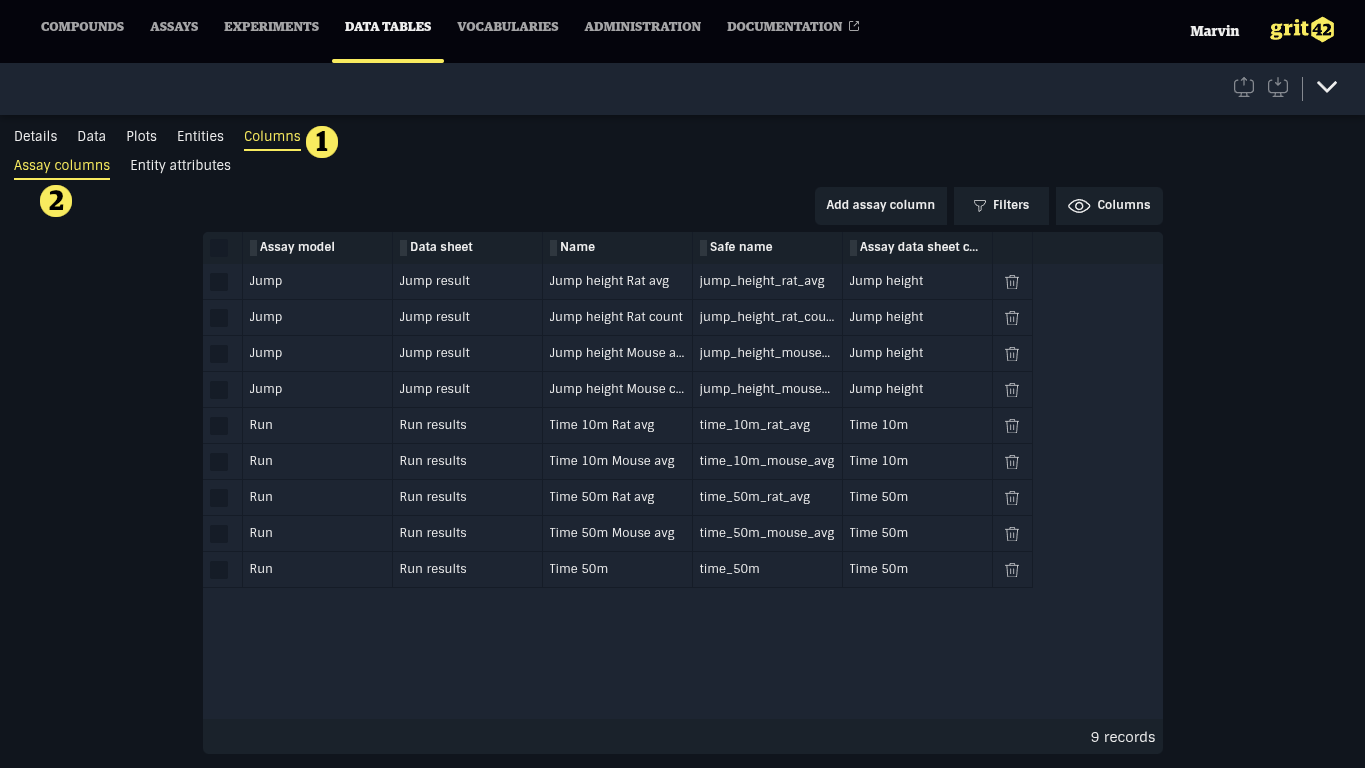
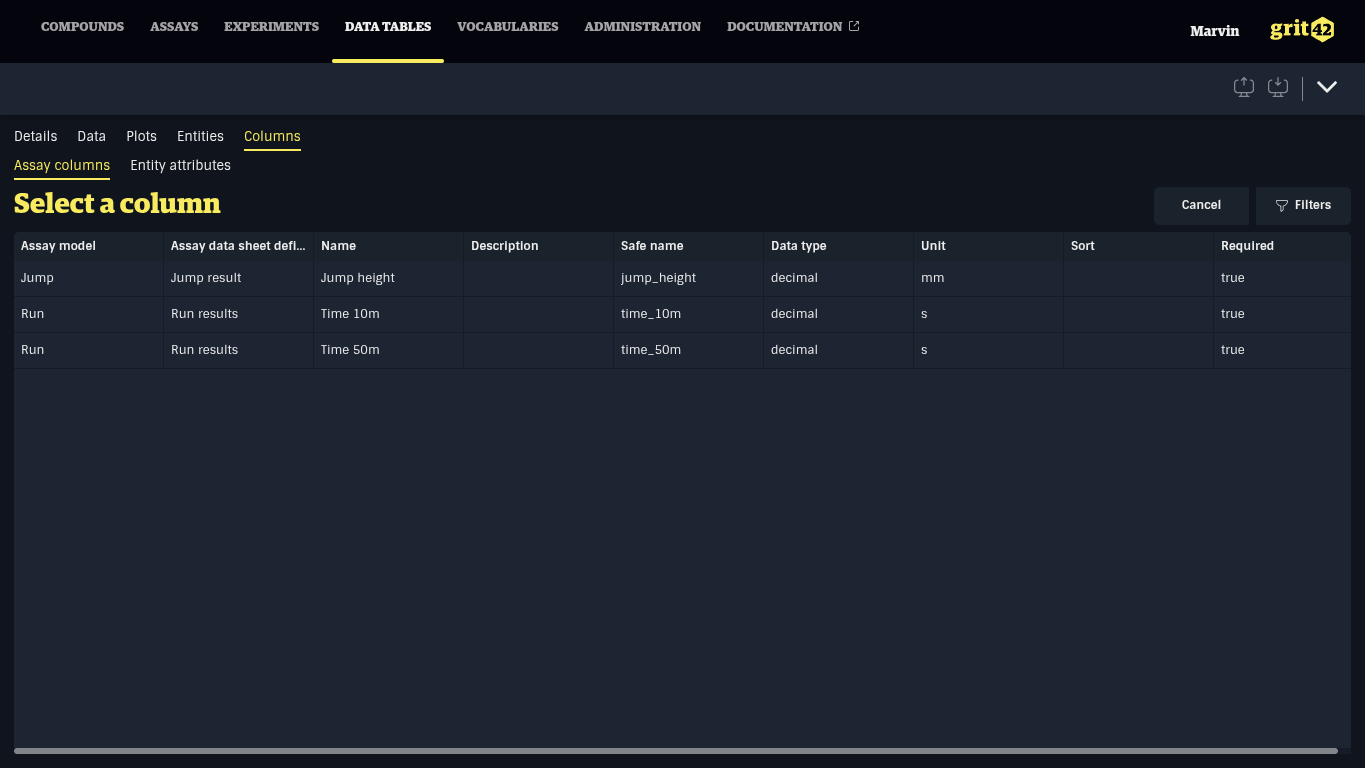
In the list, select the assay data sheet column to add by clicking the row.
In the form, configure the column details and click Save.
- The name of the column displayed in the table.
- A machine-friendly name, only alphanumerical characters and underscores (_).
- An optional sort indication used to define the default position of the column, a lower value is closer to the start.
- The aggregation method that should be used to produce a single value when there are multiple results for the entity.
- Experiments filter to select a specific subset of Experiments to get results from.
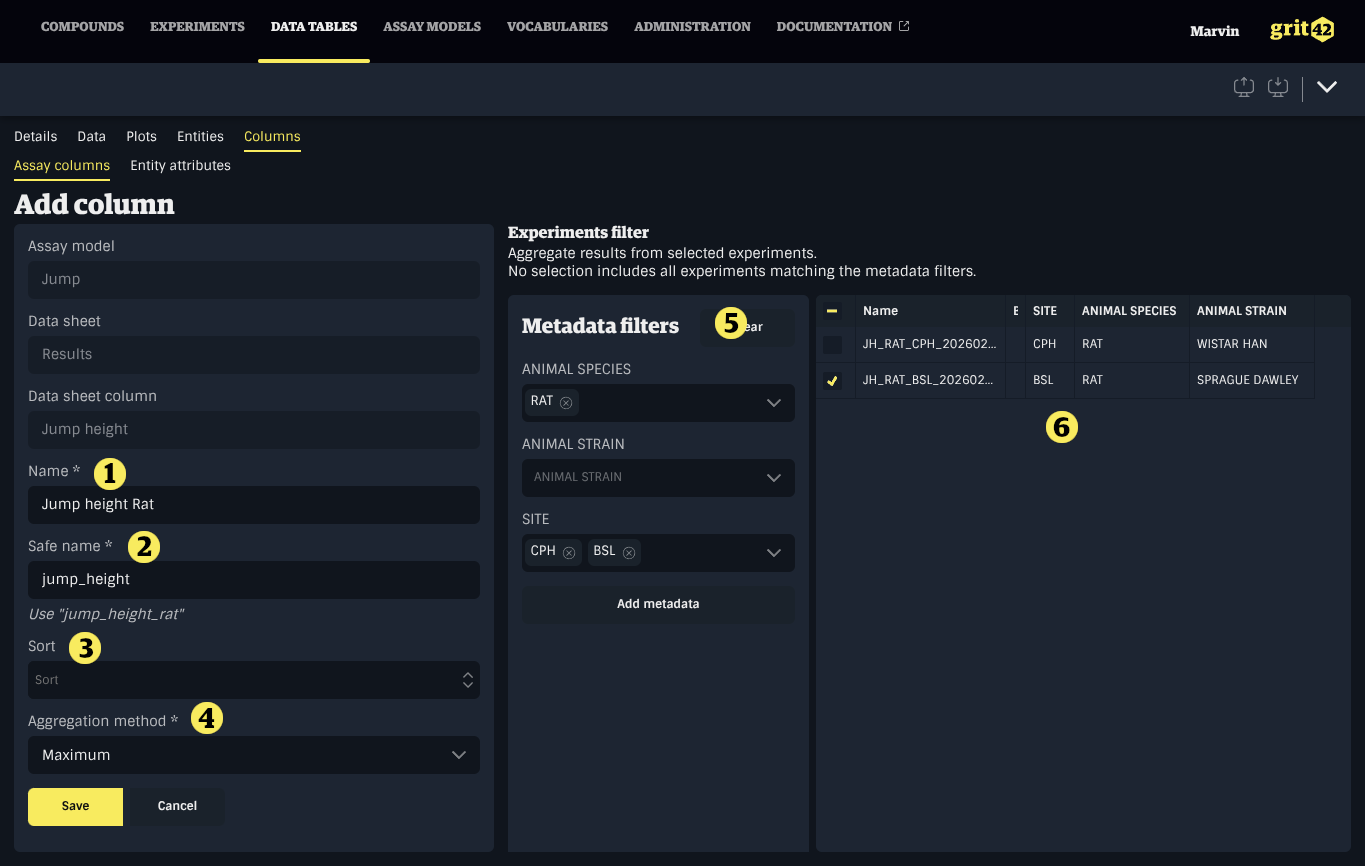
Suggestion for updating the Safe name of the column will be displayed below the input when making changes to the Name. Click it to accept the suggested value.
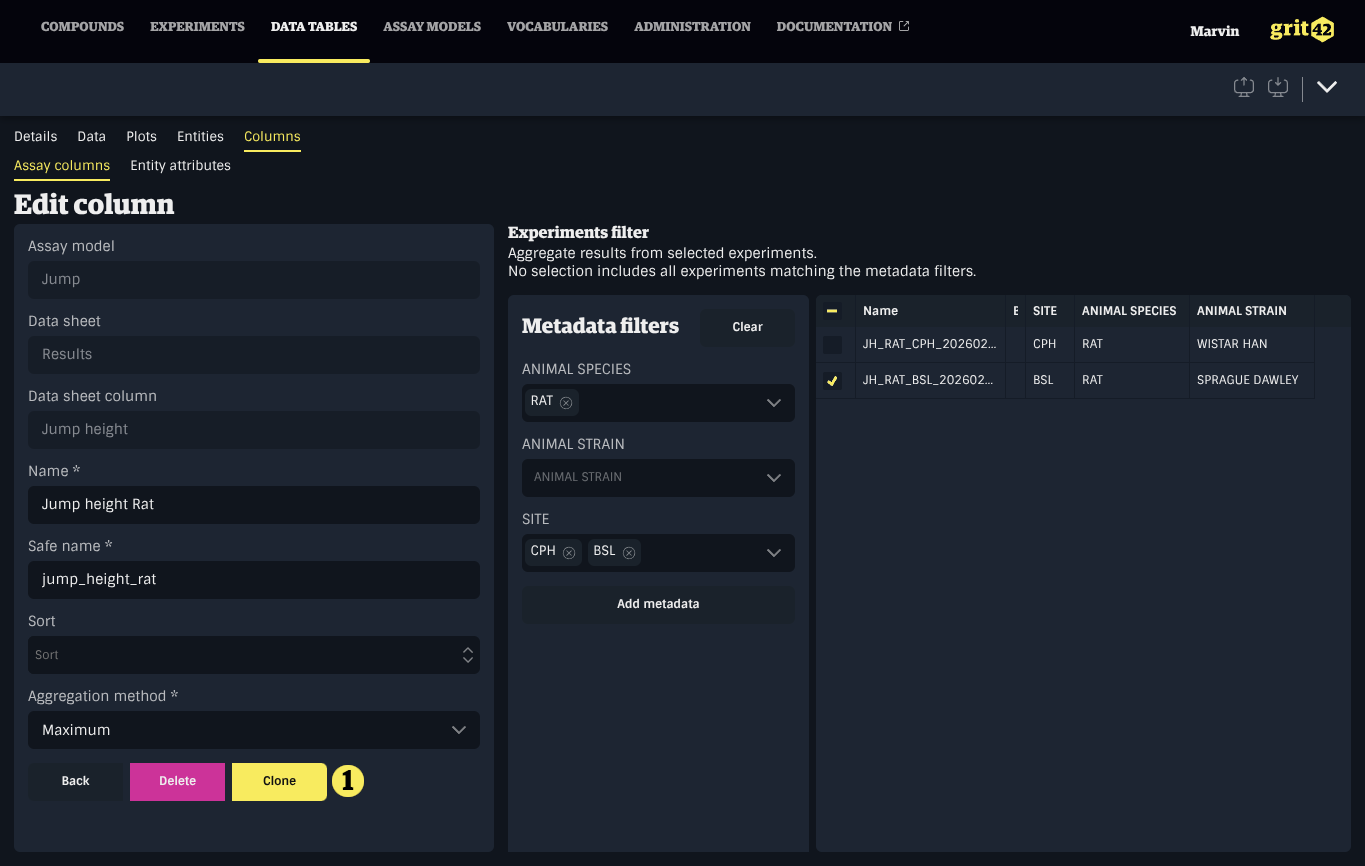
Assay data sheet columns can be cloned by clicking an existing column, then clicking Clone (1).
Assay data sheet columns can be removed under Columns > Assay columns by selecting one or more rows in the table clicking the Trash icon at the end of one of the selected rows.
Aggregation methods
Available aggregation methods depend on the data type of the assay data sheet column, as follows:
- All data types:
- Comma separated list: all values are concatenated in a single value, separated by commas.
- Latest: shows the value that was updated last
- Count: the total number of values for the column/entity pair
- Number:
- Average
- Minimum
- Maximum
- Standard deviation
- Date and Datetime
- Minimum
- Maximum
- Boolean
- AND: true if all values are true
- OR: true if any value is true
Experiments Filter
Experimental data is aggregated from Published Experiments of the corresponding Assay model. The Experiments Filter can be used to target specific Experiments of the model, based on their Metadata. If Experiments are selected, only data from these Experiments will be aggregated. If no selection is made, all Experiments matching the Metadata Filters will be used.